
The Results section allows students to view their performance in quizzes, assignments, available on the learning platform.
It helps students evaluate their understanding of course content, track assessment outcomes, and identify areas for improvement.
Students can check scores, submission status, feedback, and completion details.
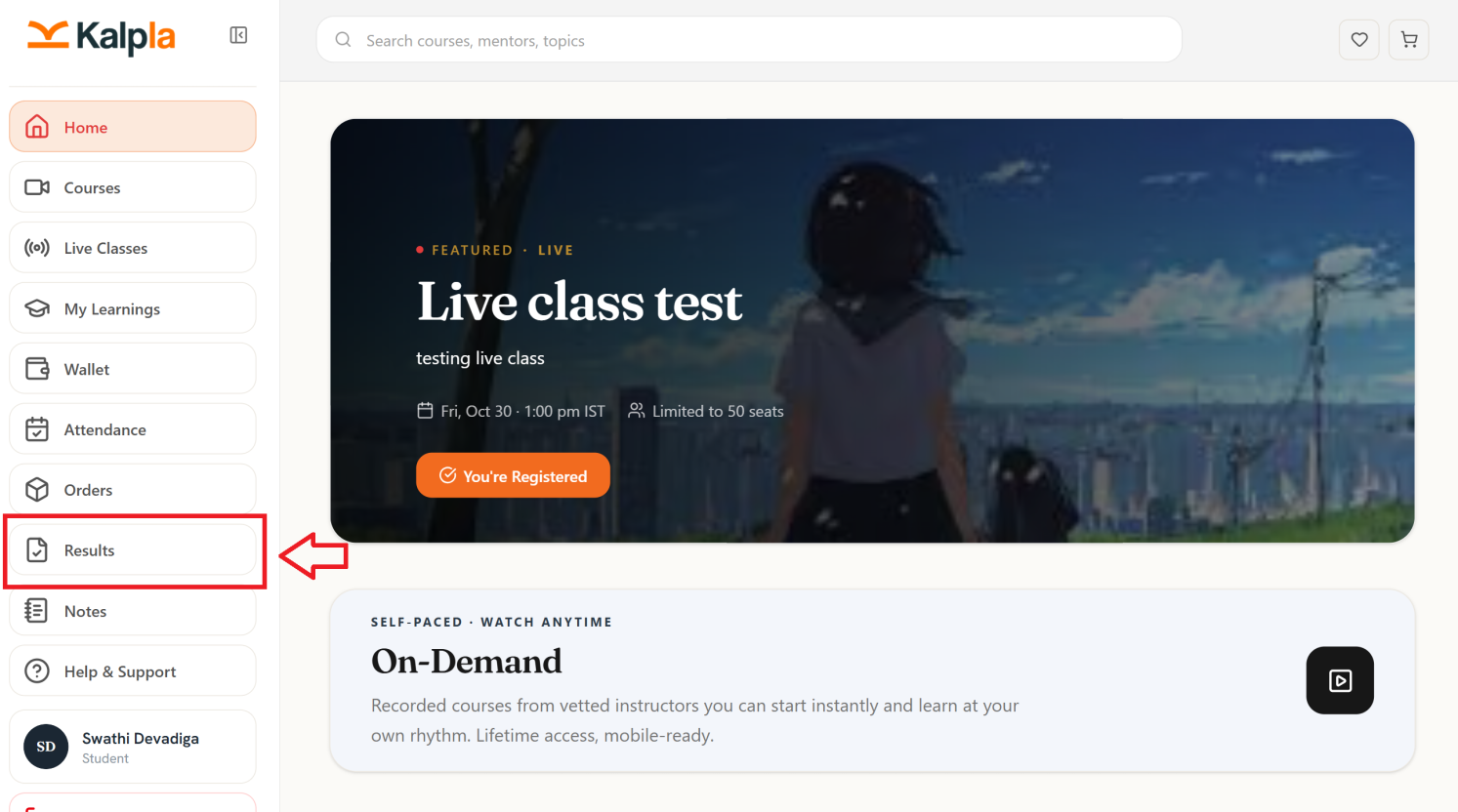
Quiz & Assignment Results
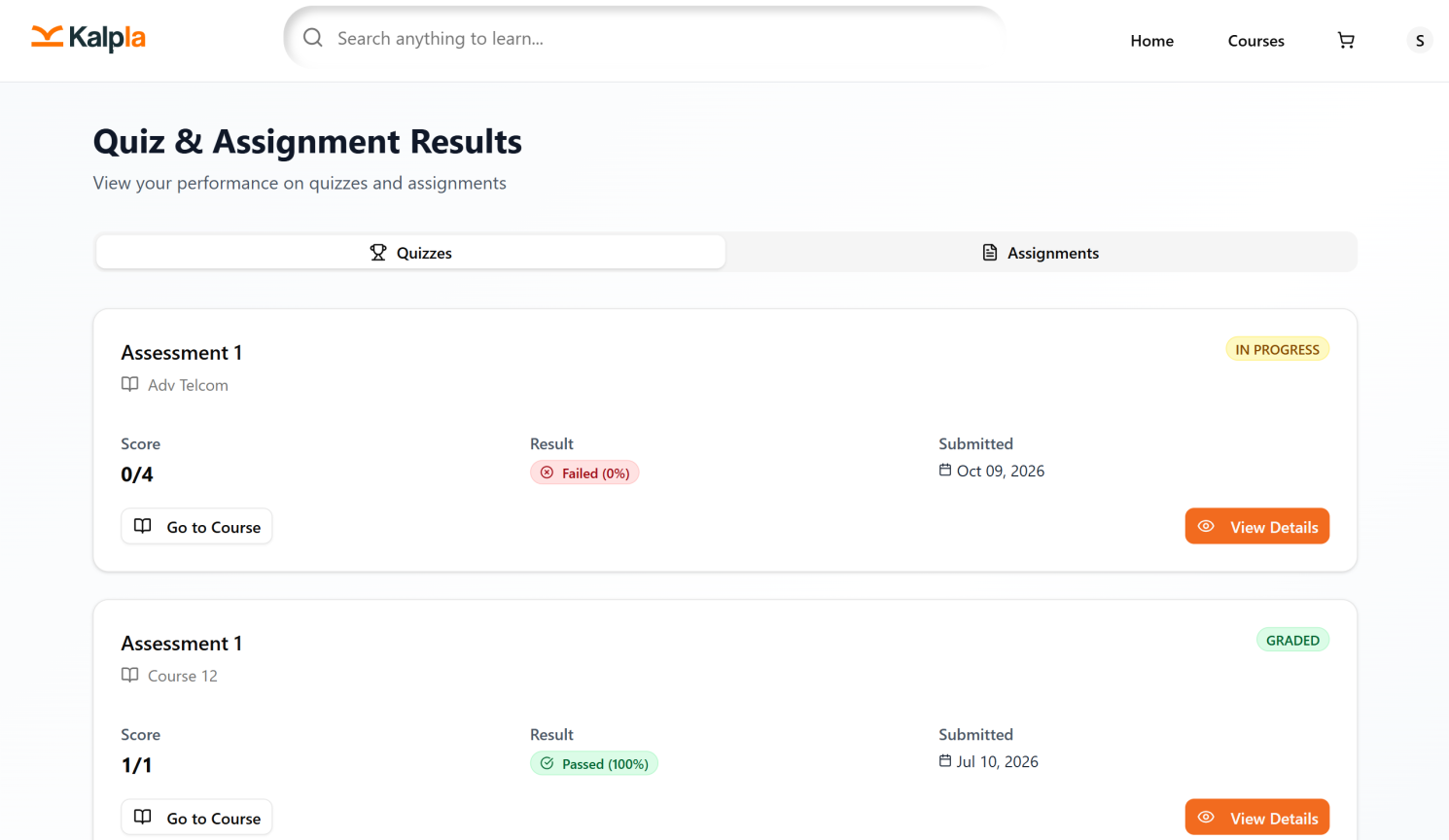
The Quiz & Assignment Results section allows students to view and track their performance in quizzes and assignments completed on the Kalpla learning platform. It displays assessment scores, results, submission dates, and assessment statuses, helping students evaluate their learning progress.
Key Features
1. Quizzes
The Quizzes tab displays the results of quizzes associated with the student's enrolled courses. Students can review their scores, check their results, and view additional assessment details.
2. Assignments
The Assignments tab provides access to assignment-related information, including submission records, grading status, and results, depending on the assessment status.
3. Assessment Details
Each assessment card displays the following information:
Assessment Name: Displays the title of the quiz or assignment.
Course Name: Identifies the course associated with the assessment.
Score: Shows the marks obtained compared with the total marks available.
Result: Displays the assessment outcome, such as Passed or Failed, along with the percentage where available.
Submission Date: Indicates the date the assessment was submitted.
Assessment Status: Shows the current status of the assessment, such as In Progress or Graded.
4. Go to Course
The Go to Course button allows students to navigate to the associated course and access its learning materials.
5. View Details
The View Details button enables students to access more information about a particular assessment, including the available score and result details.
6. Understanding Assessment Statuses
In Progress : Indicates that the assessment is currently in progress or has not reached its final status.
Graded : Indicates that the assessment has been evaluated and its result is available.
Passed : Indicates that the student has achieved the required passing score.
Failed : Indicates that the student has not achieved the required passing score.
Conclusion
The Quiz & Assignment Results section helps students monitor their assessment performance, review scores, check grading statuses, and track their progress across enrolled courses. It provides a convenient way to evaluate learning outcomes and identify areas that may require further improvement.