
The Help & Support section helps users find answers to common questions and get assistance when they face issues while using Kalpla.
Users can use this section to find help articles, report problems, or contact the Kalpla support team.
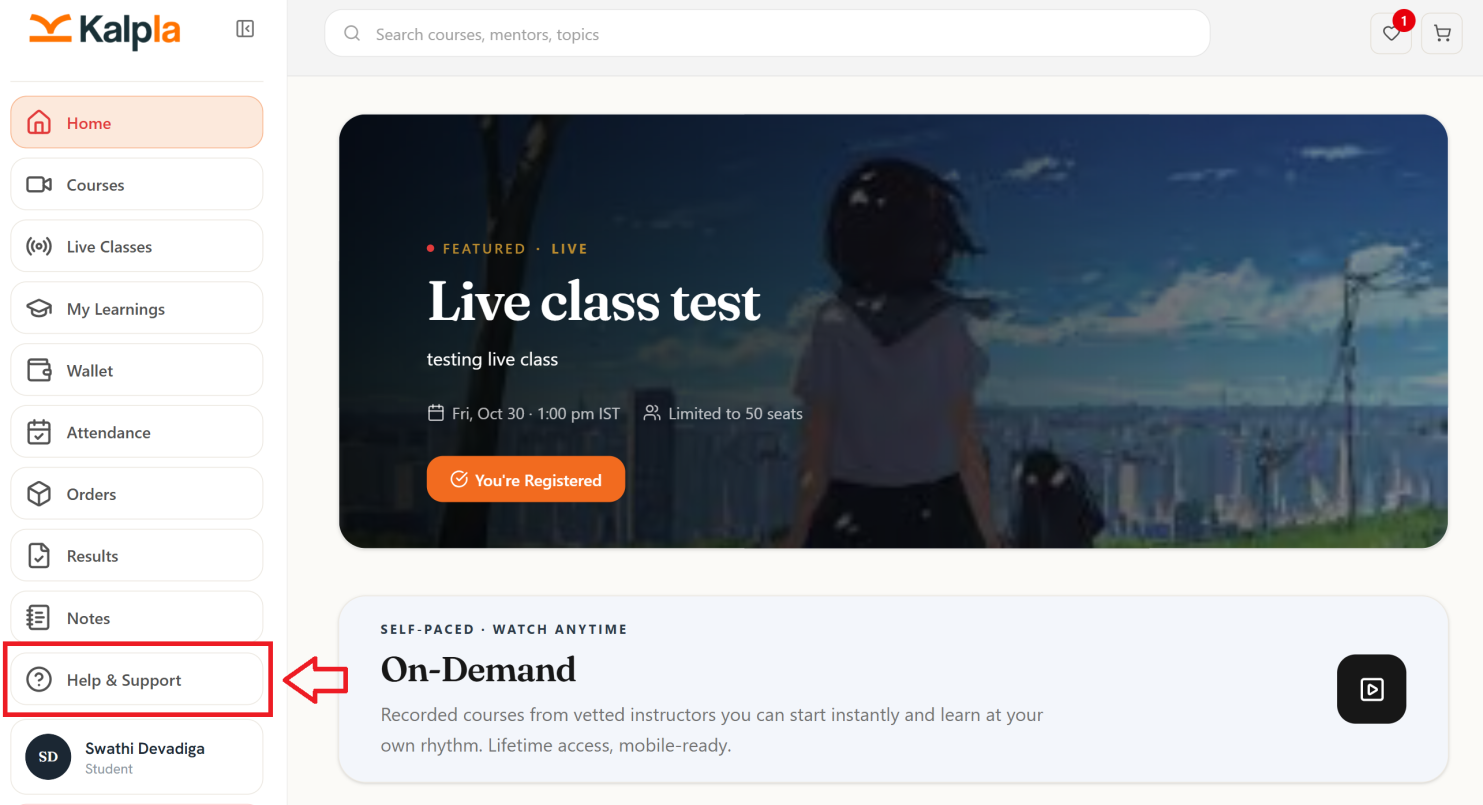
How to Create a Ticket
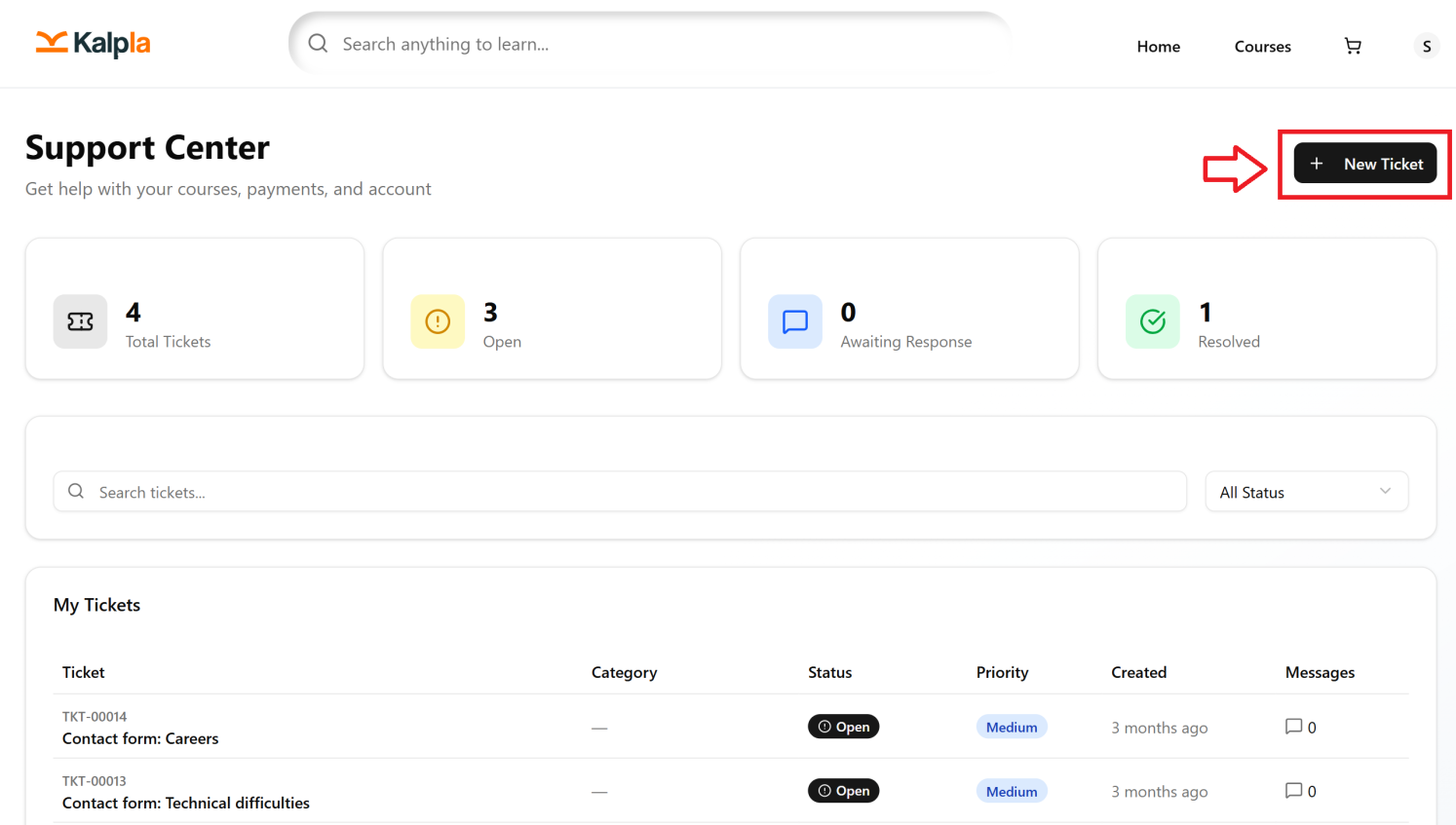
Click Create Ticket.
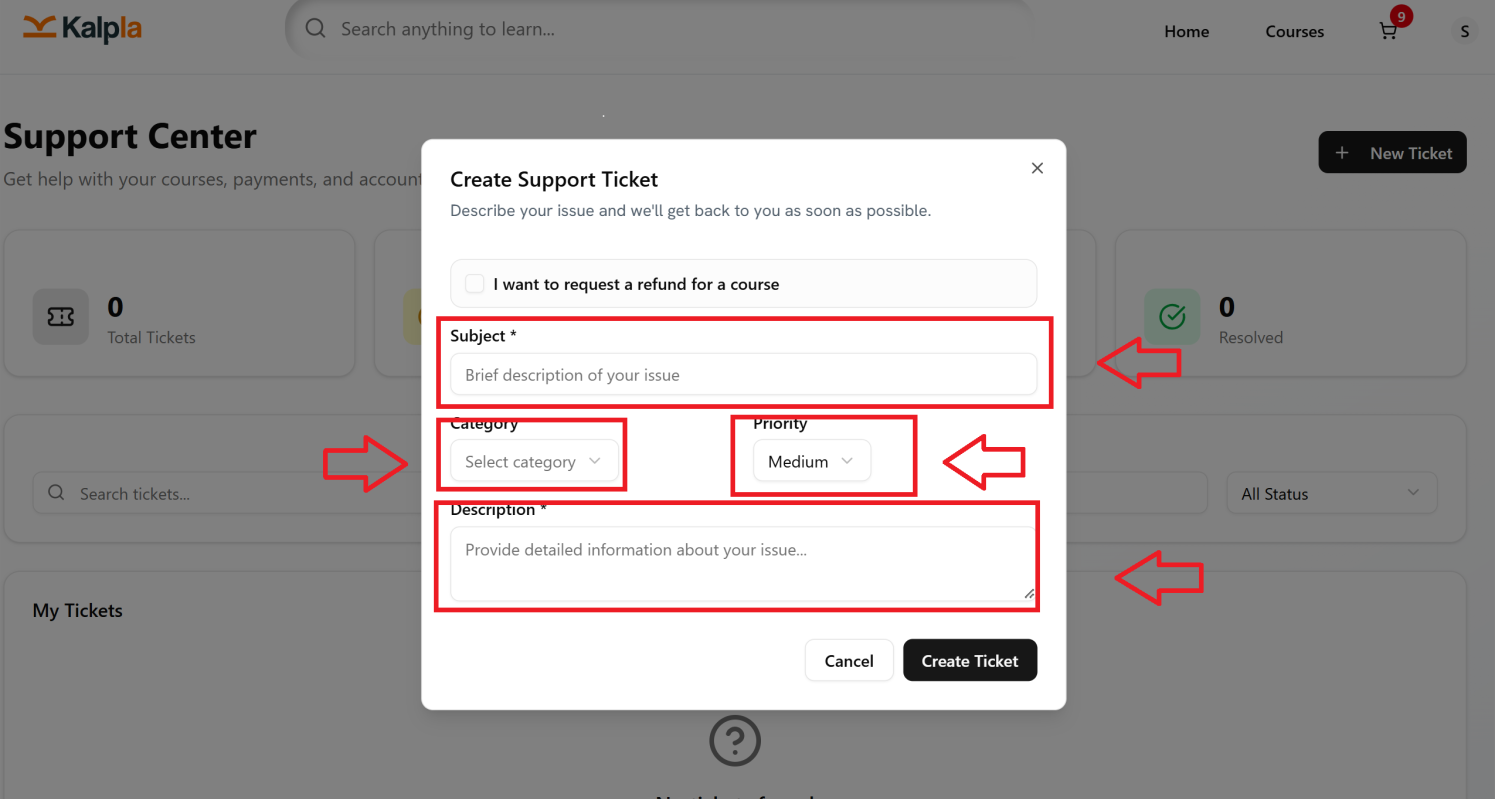
Enter a clear Subject for your issue.
Select the appropriate Category from Dropdown.
Set the priority as Low from Dropdown
Describe the problem in the Description field.
Add relevant details such as course name, order number, or transaction details, if applicable.
Attach Screenshots or supporting files, if required.
Review the information entered.
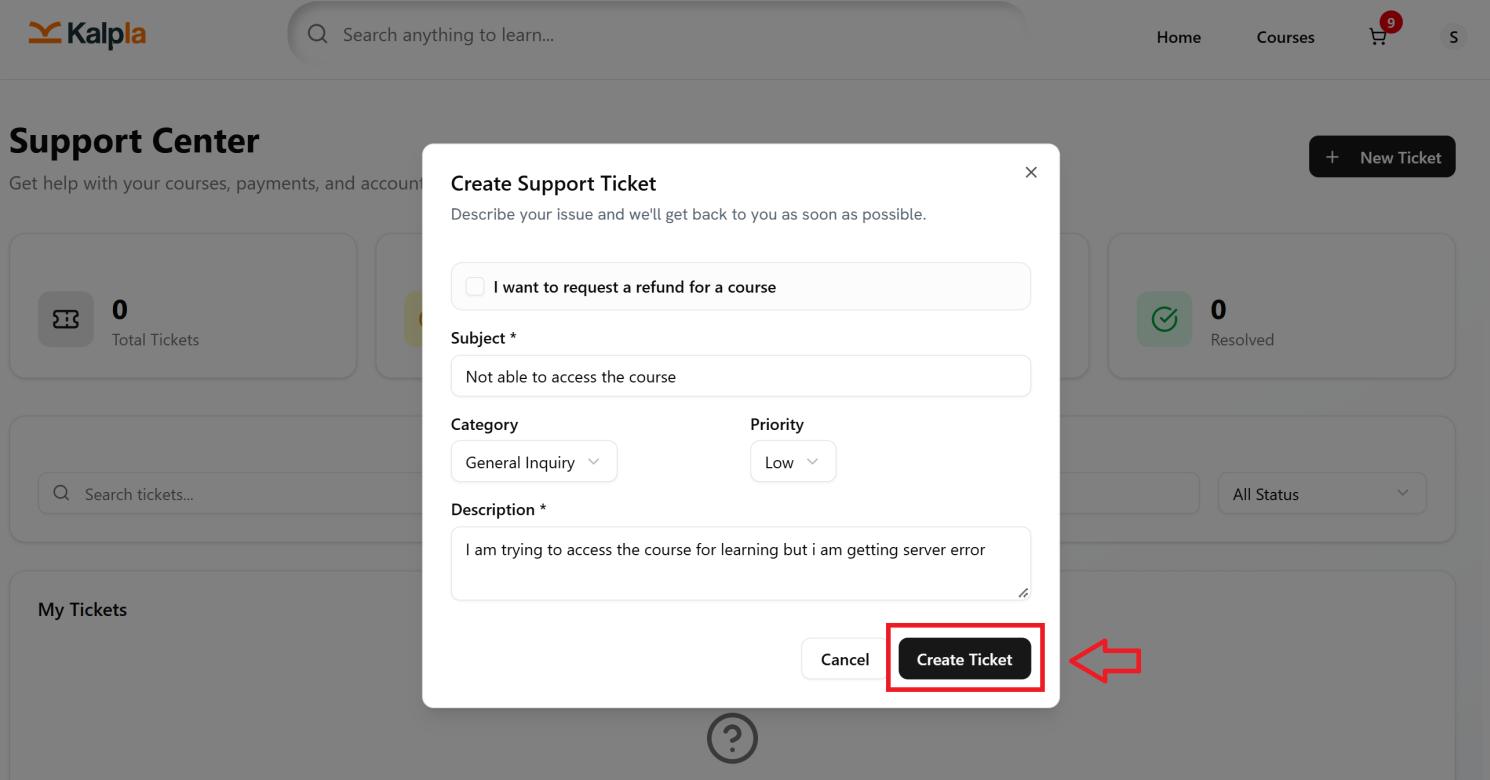
Select Create Ticket
Once the ticket is created you will find your ticket with ticket number and open status in your My Tickets section
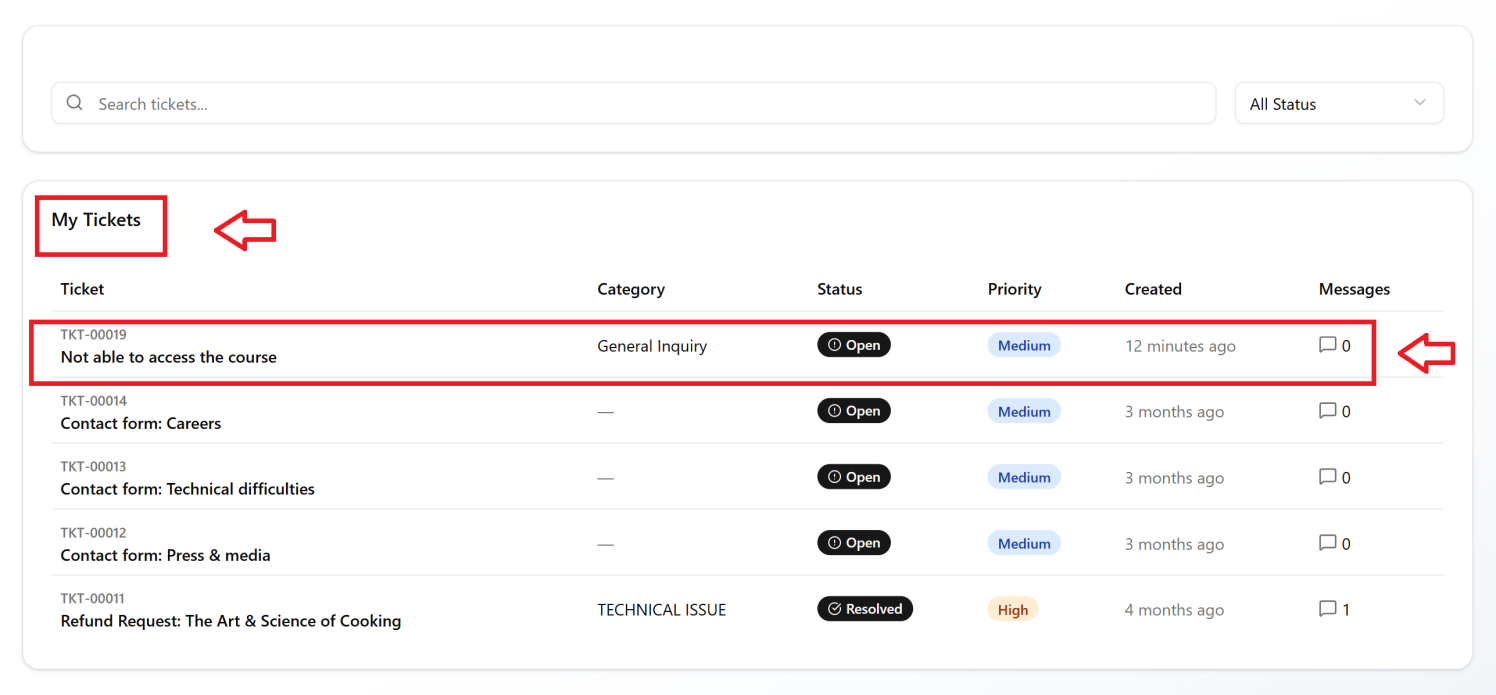
If you want to check the status of your ticket, you can click on the ticket number and check in the Conversation section.