
The Course section provides an overview of the process users follow from enrolling in a course through successfully completing it.
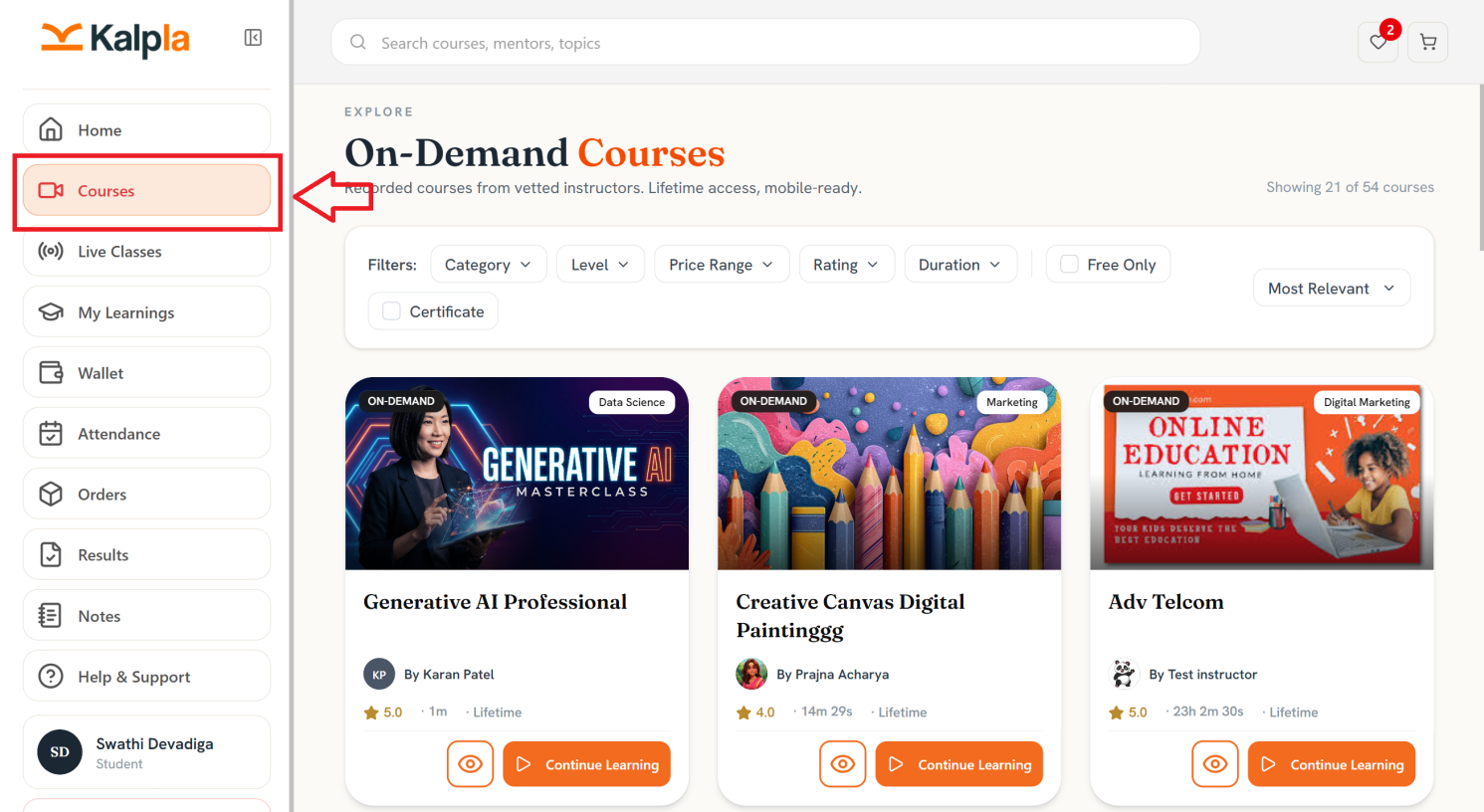
Students can explore available courses, enroll in their preferred course, access learning materials, track their progress, and complete the required lessons and assessments.
Once all course requirements are fulfilled, the course is marked as completed, and students can access their completion status and certificate,
If you want to select a particular course please click on home page and navigate to the search area
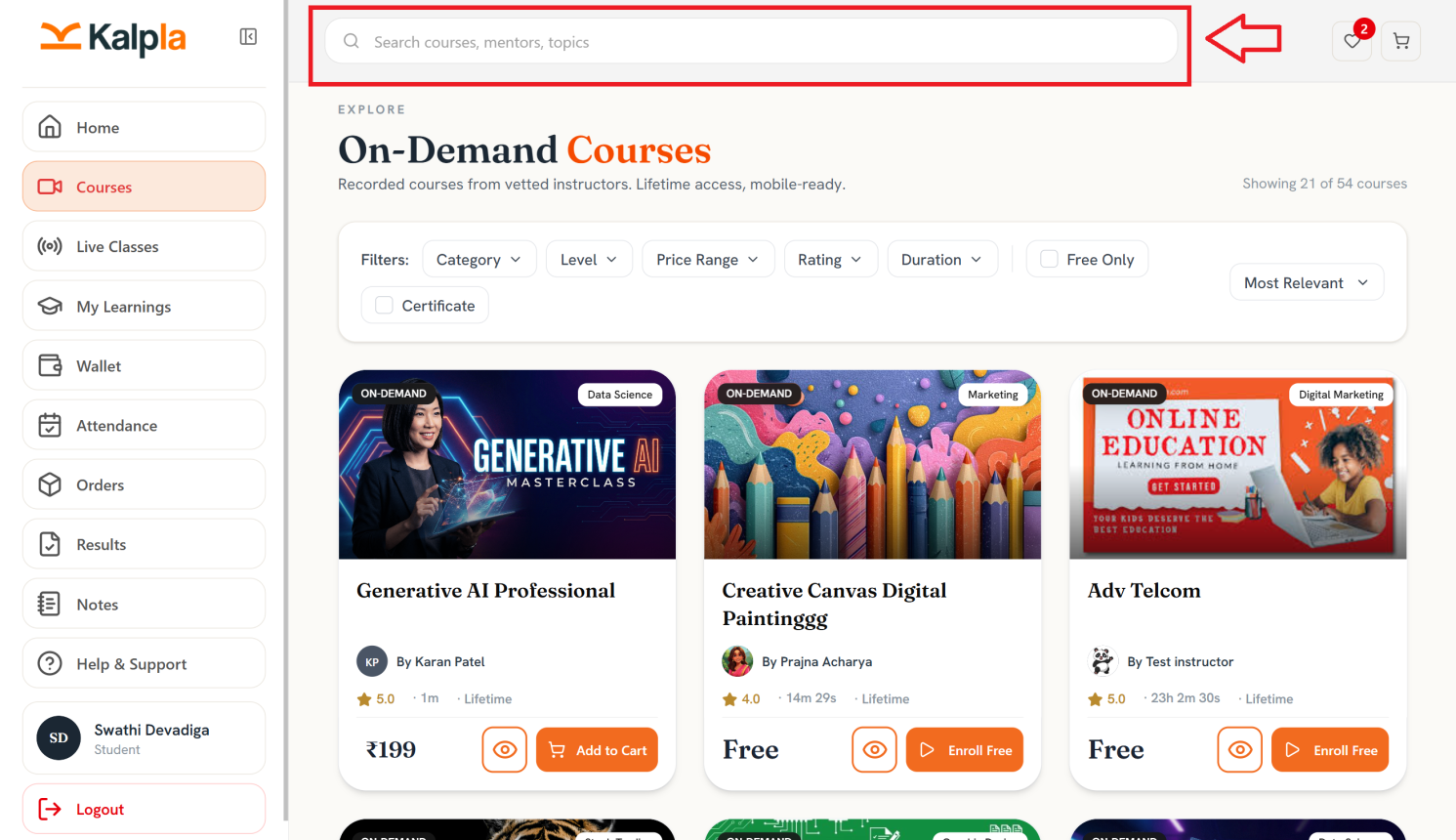
The Course Section provides the following options:
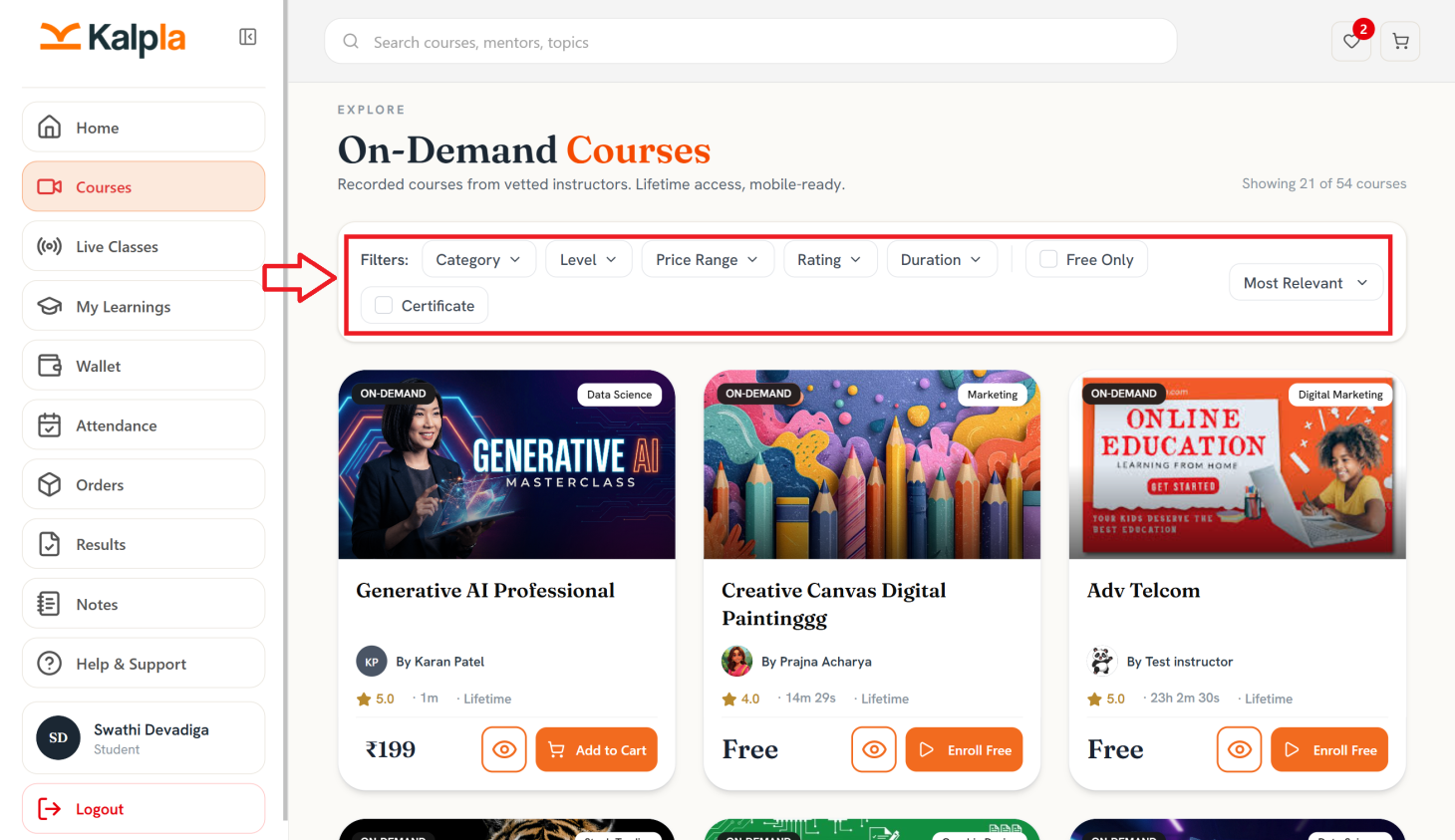
- Category: Filter courses based on their category.
- Level: Filter courses according to the learning level.
- Price Range: Filter courses based on their price.
- Rating: Filter courses according to their ratings.
- Duration: Filter courses based on course duration.
- Free Only: Display only free courses.
- Certificate: Display courses that offer certificates.
- Sort: Sort courses based on relevance or other available sorting options.
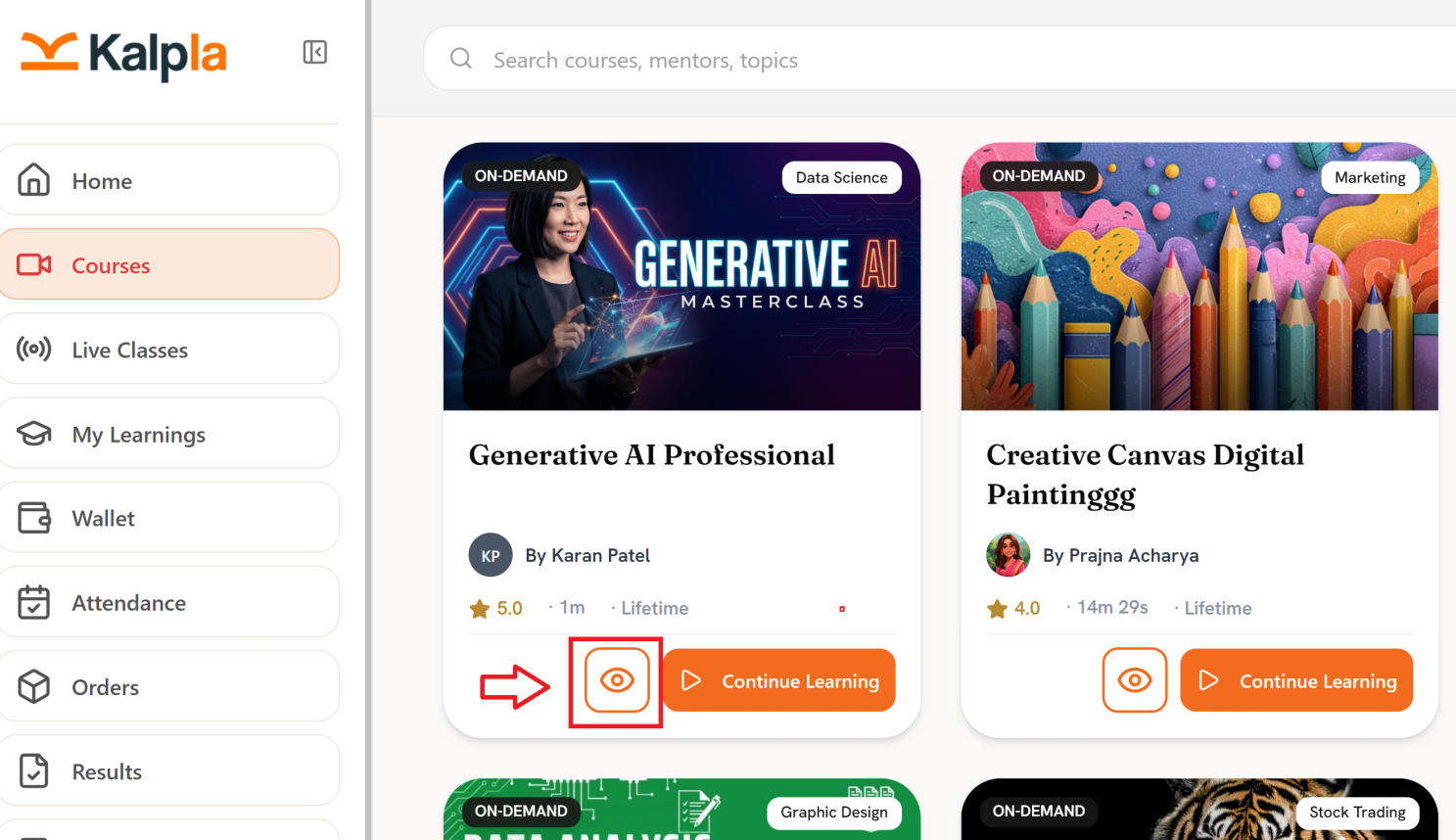
View Course
The View (eye) icon allows students to view the course before continuing their learning.
Students can use this option to review the available course information.
Continue Learning
The Continue Learning button allows students to resume a course from their existing learning progress.
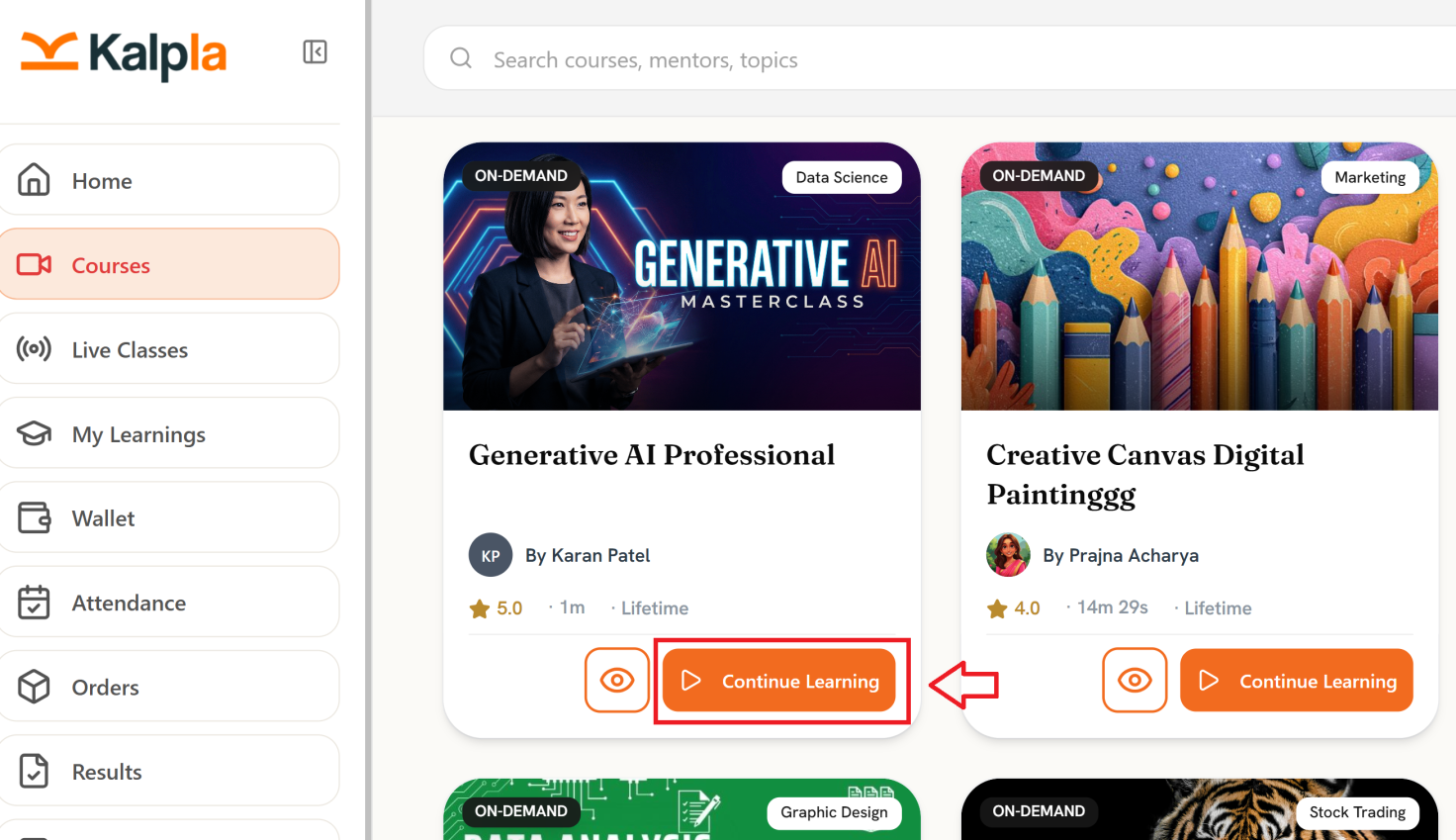
Course Card Information
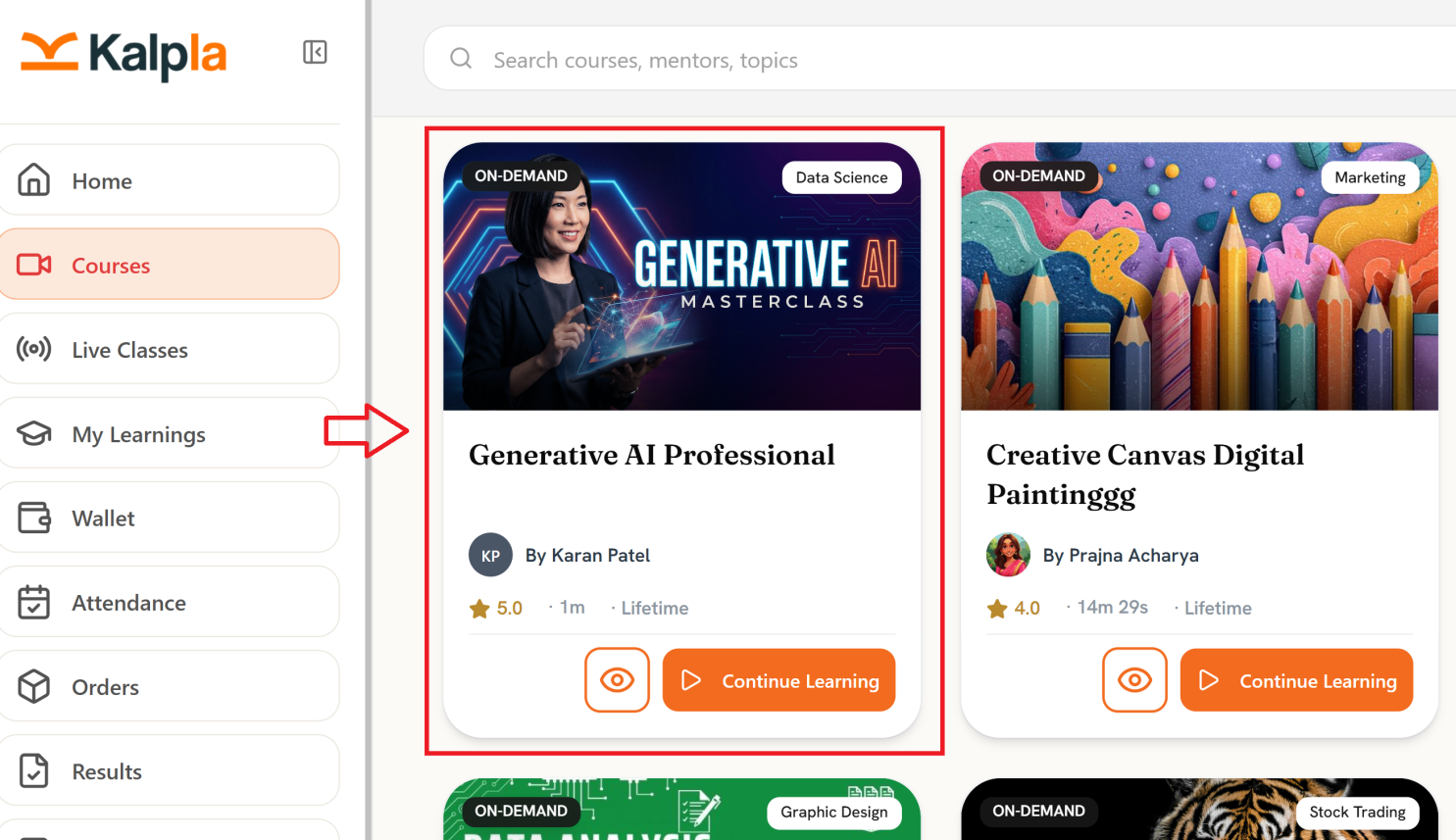
Each course card displays key course information, including:
Course image
Course type, such as On-Demand
Course category
Course title
Instructor name
Course rating
Course duration
Access period, such as Lifetime
View option
Continue Learning option
After selecting the required course from the home page if you want to enroll to that course click on Add to Cart option as shown below.
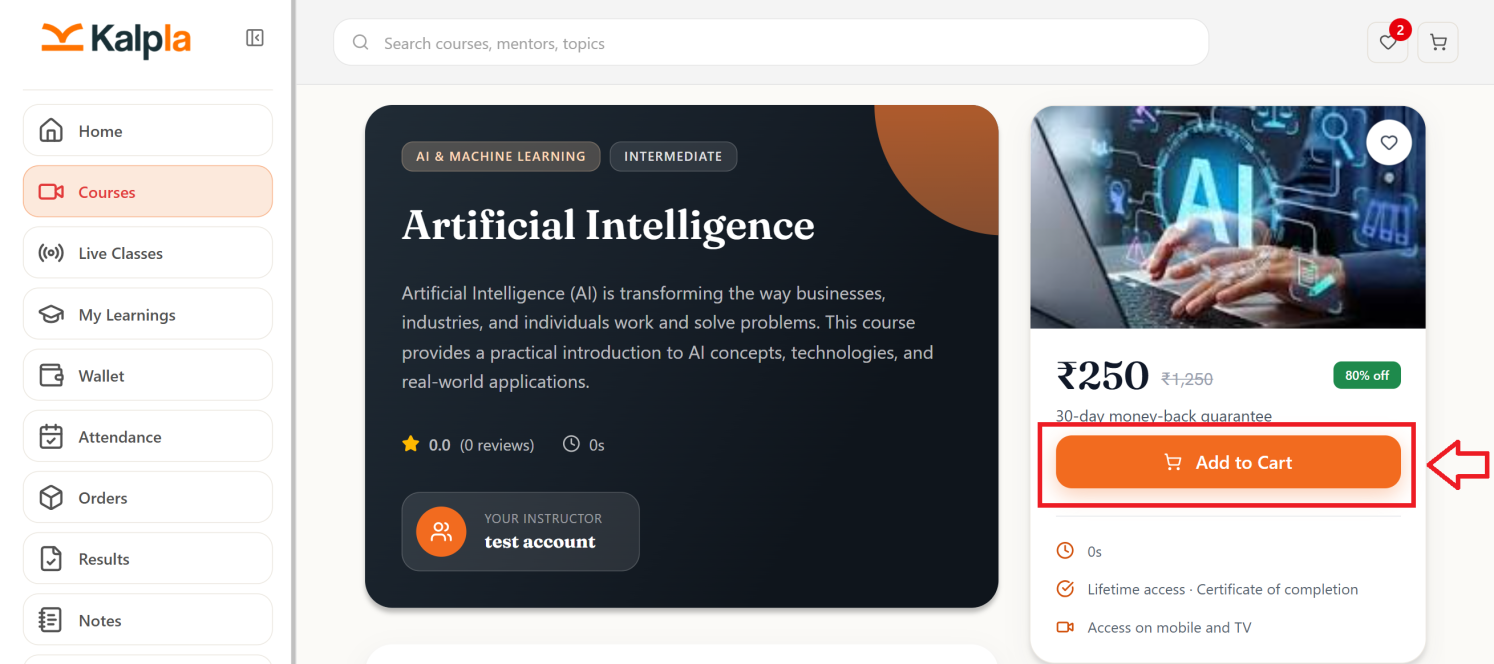
After adding the course to cart, you will find the course in your cart in the right corner
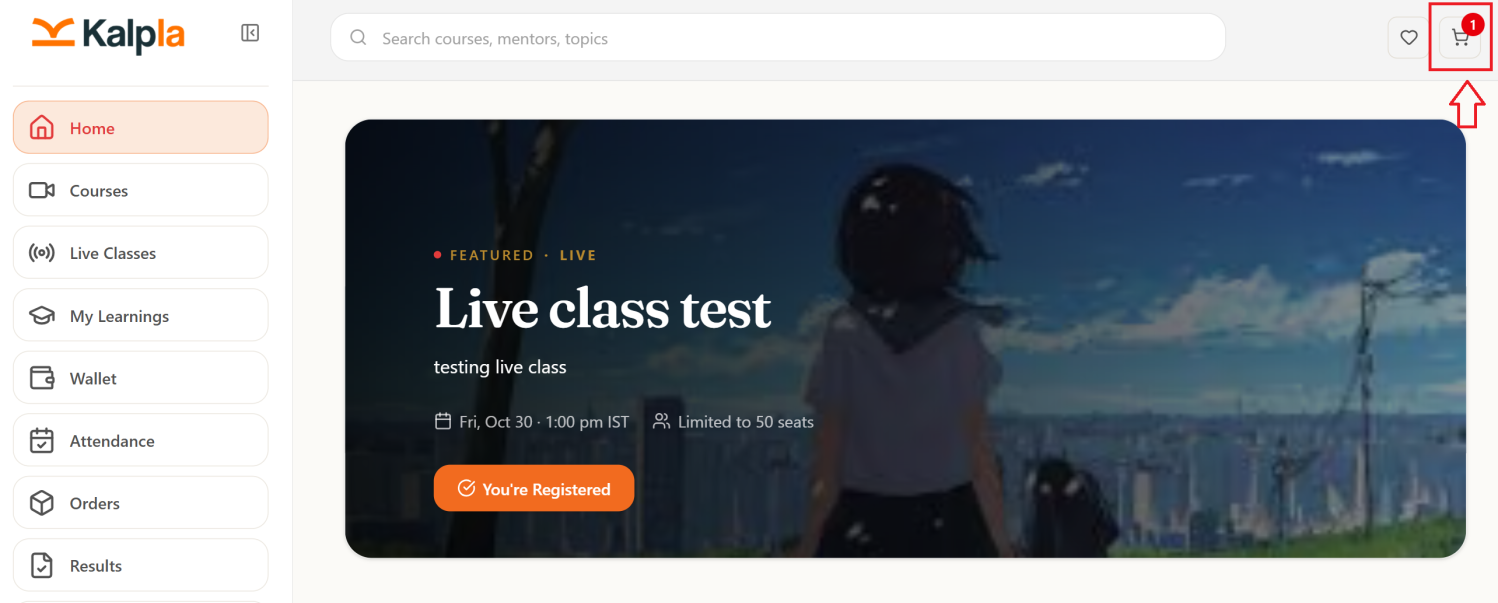
Once you go to the cart you will have the option called Proceed to Checkout
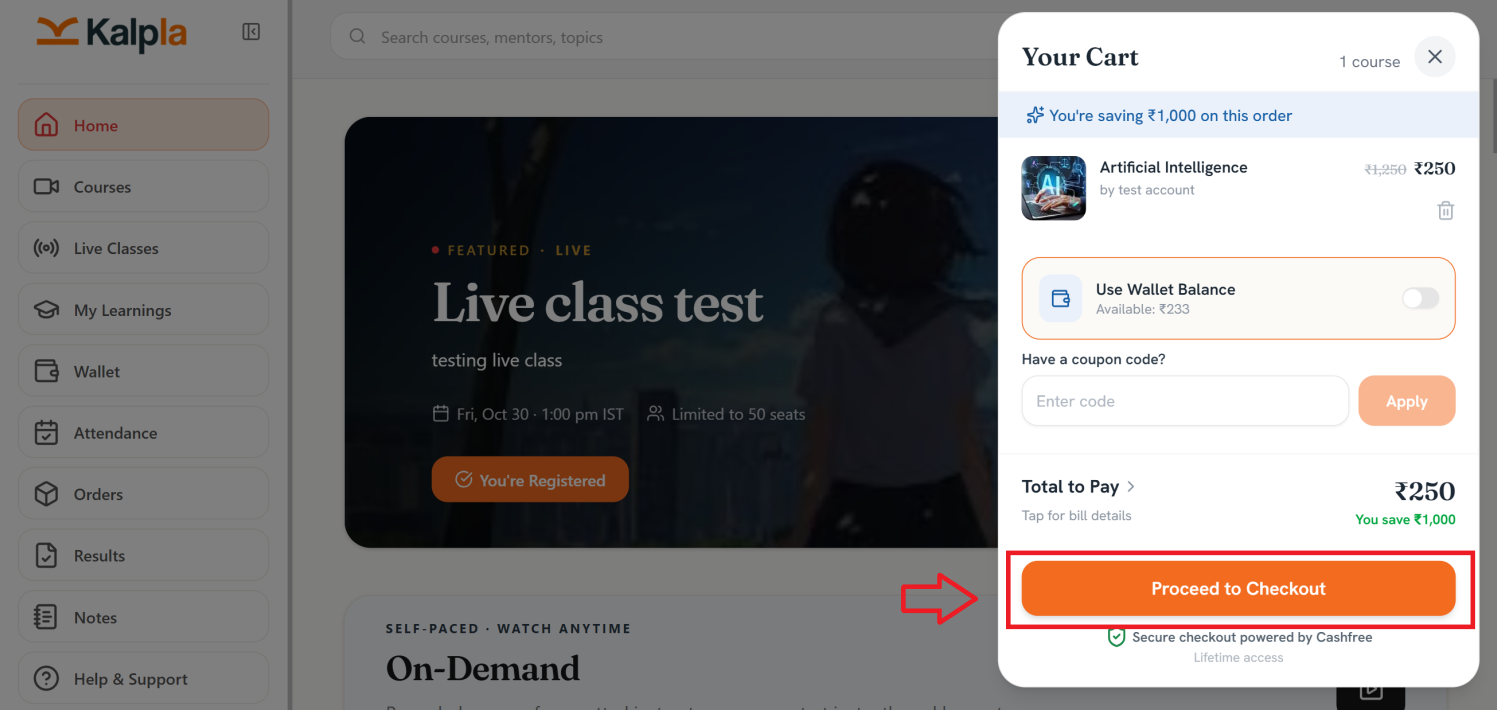
After clicking proceed to checkout press click to see QR.
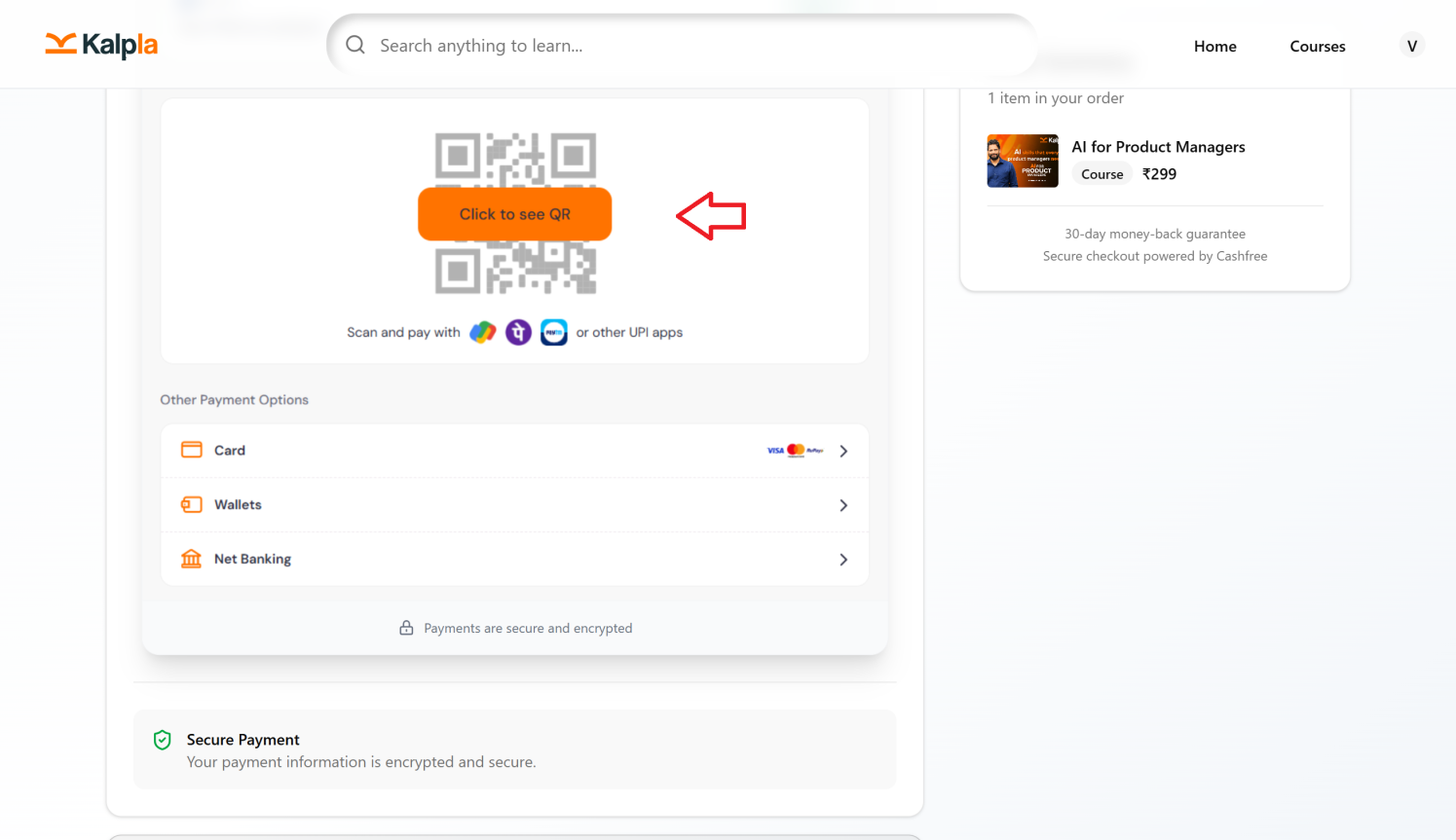
After the QR code appears if you want to process payment through third party UPI apps you can directly scan the QR through any apps like Phonepe or google pay and complete the payment.
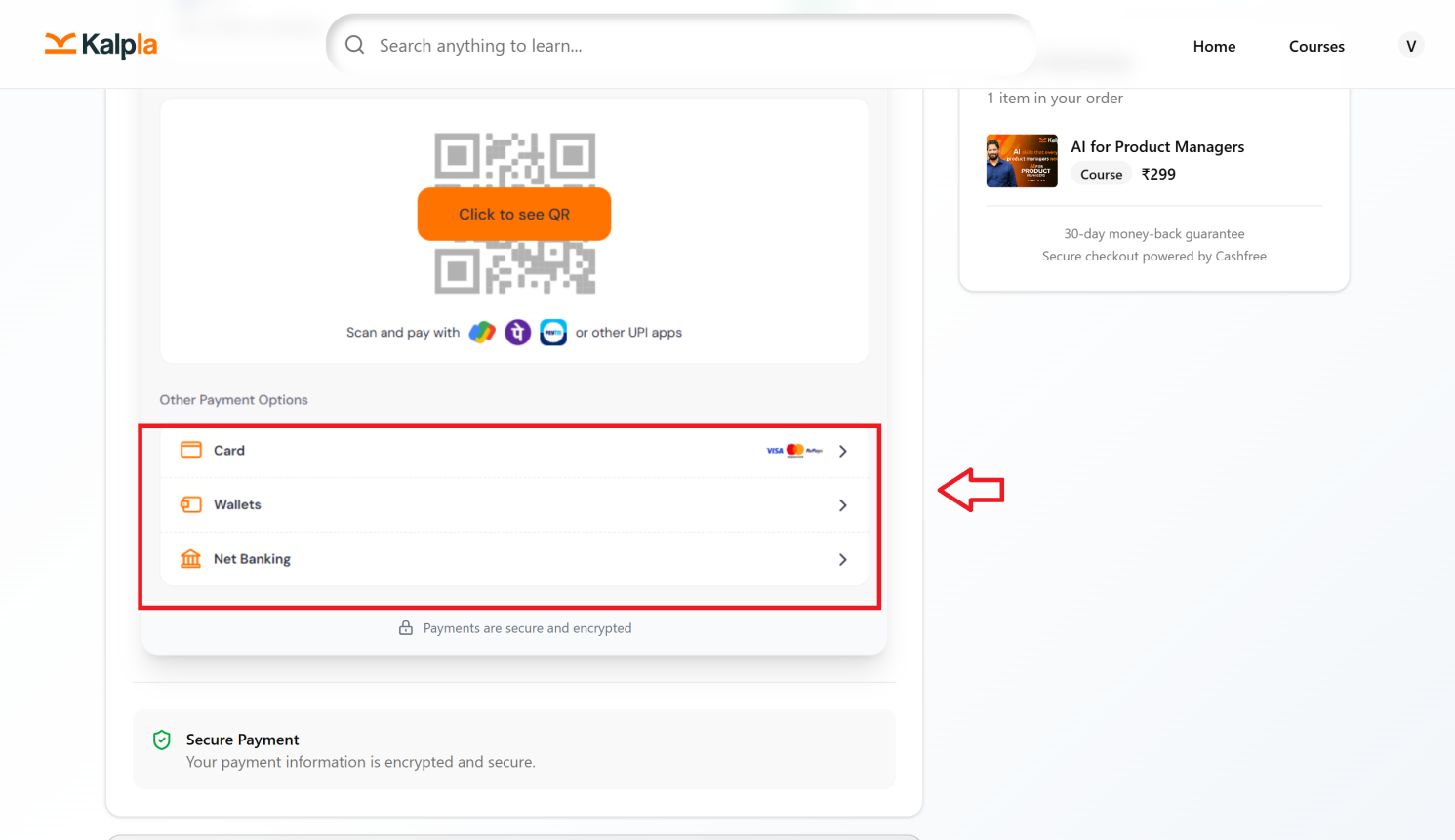
Otherwise you have other options like cards,wallets and net banking where you can complete the payment.