
The Account Creation section allows new users to register and create an account on the platform. Users can sign up using their preferred registration method and provide the required details to create their account.
Once the account is successfully created, users can log in to the platform and access the features and services available in the Kalpla Platform
Step 1: Click "Sign Up" option in the left corner to create an account in Kalpla website.

Step 2 : After clicking “Sign Up,” choose the “Student” option.
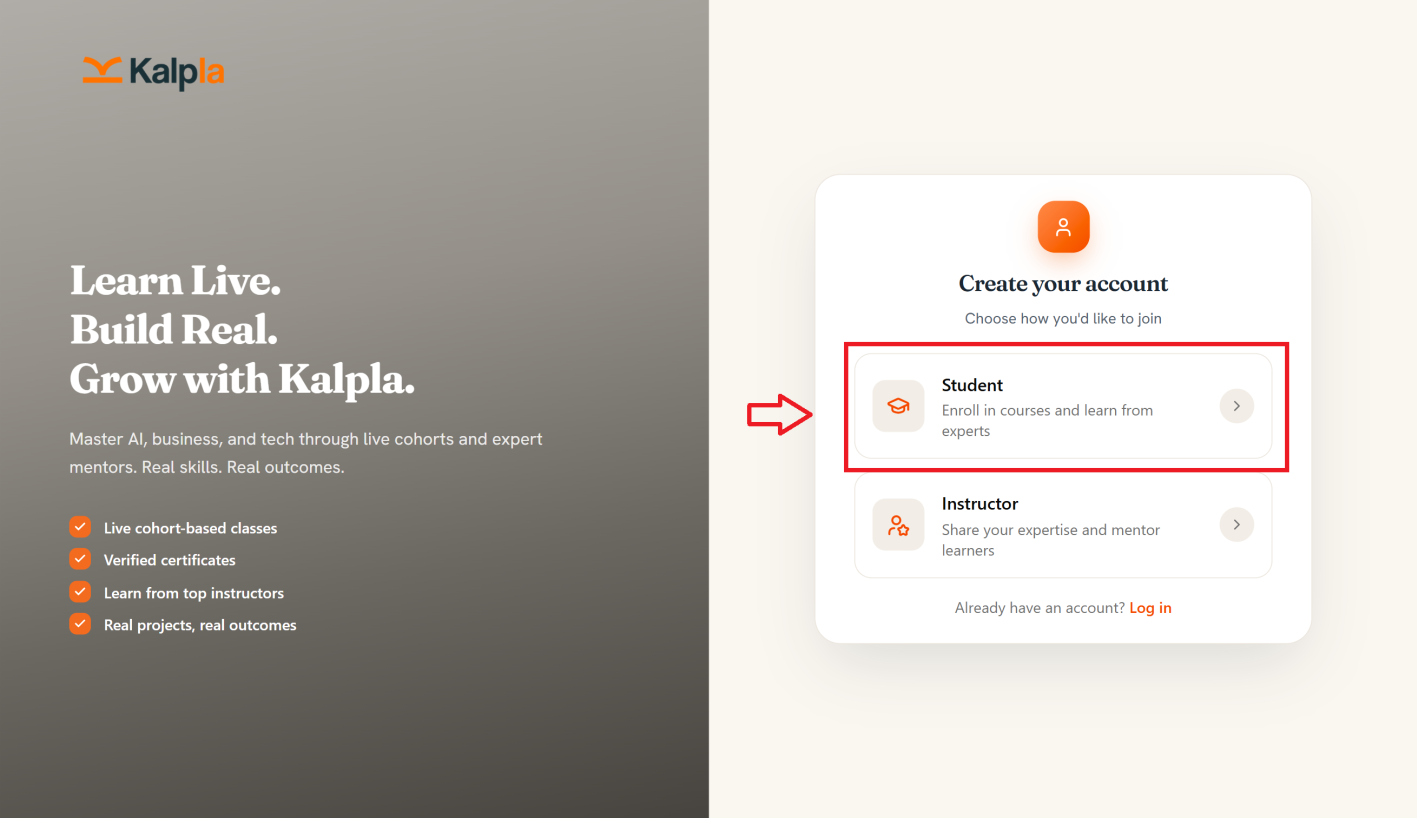
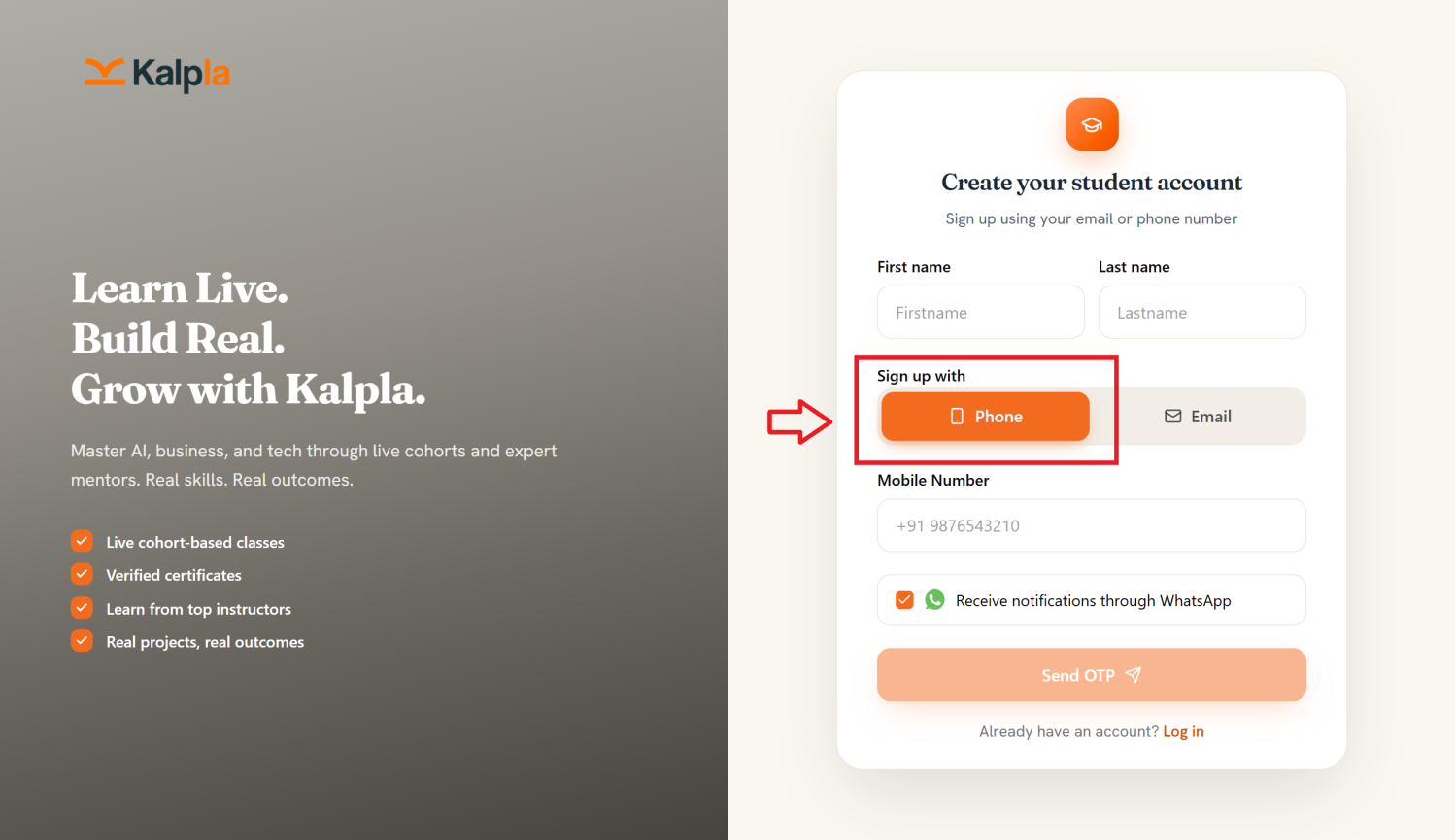
Step 3: Once you select Student, enter your First name , Last name in the respective fields.
a) If you choose to sign up using your phone number, enter your mobile number and click Send OTP. An OTP will be sent to your registered mobile number for verification.
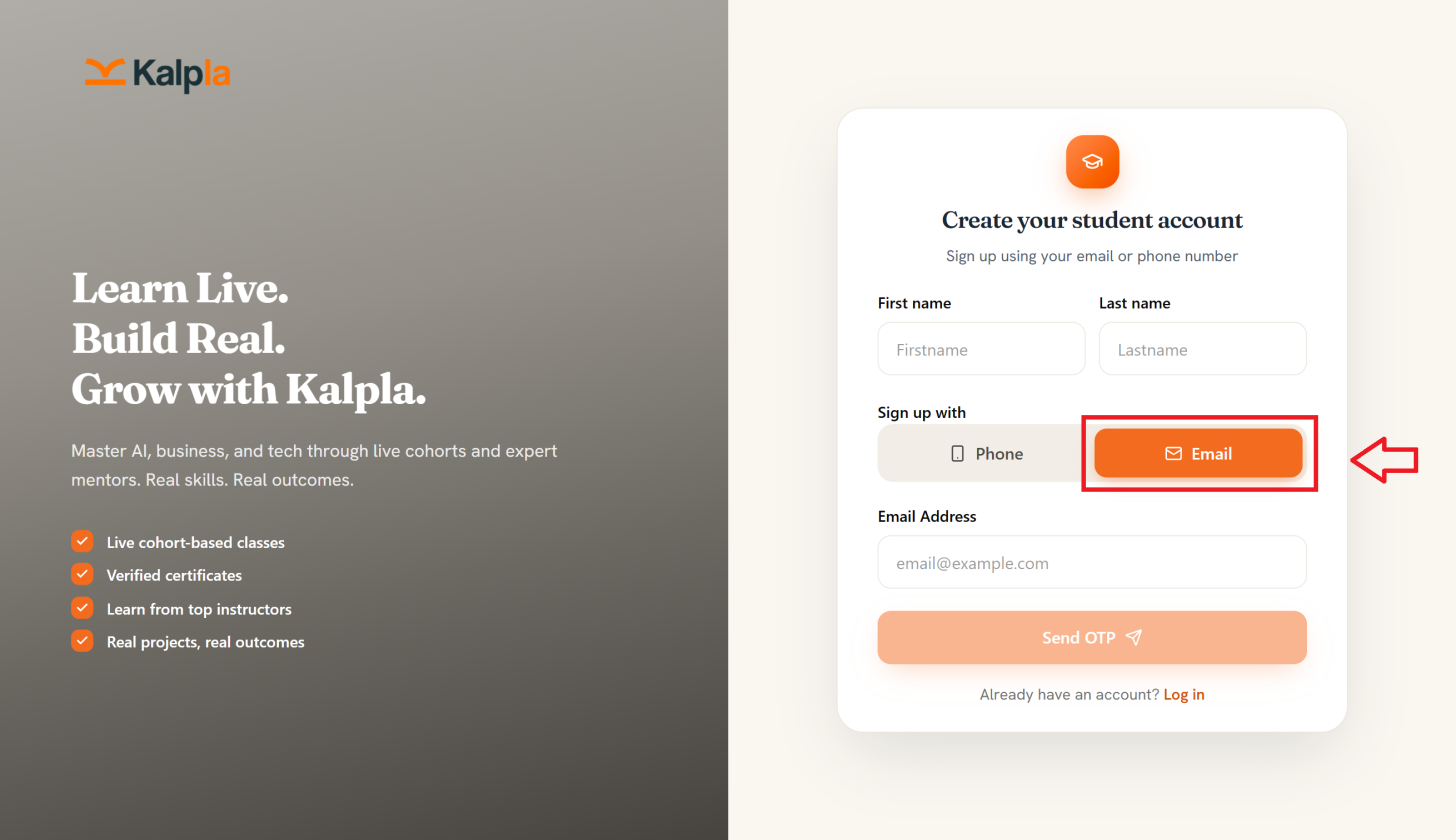
b)If you want to sign up with your email address enter your personal email address and click on Send OTP you will receive an OTP in your personal email.
If Account Creation Fails:
If you are unable to create an account:
Check that all required fields are completed.
Make sure your email address is entered correctly.
Verify your internet connection.
Check whether the email or mobile number is already registered.
Try again after correcting any displayed error messages.
If the problem still continues, contact Kalpla Support at support@kalpla.com